How We Built an Idea Engine in Slack
A high-level overview of how we process, evaluate, and use team ideas at Butter


For the past 3 months, I’ve been working on an internal tool to capture ideas from the team at Butter, evaluate them, and bake them into the product development process.
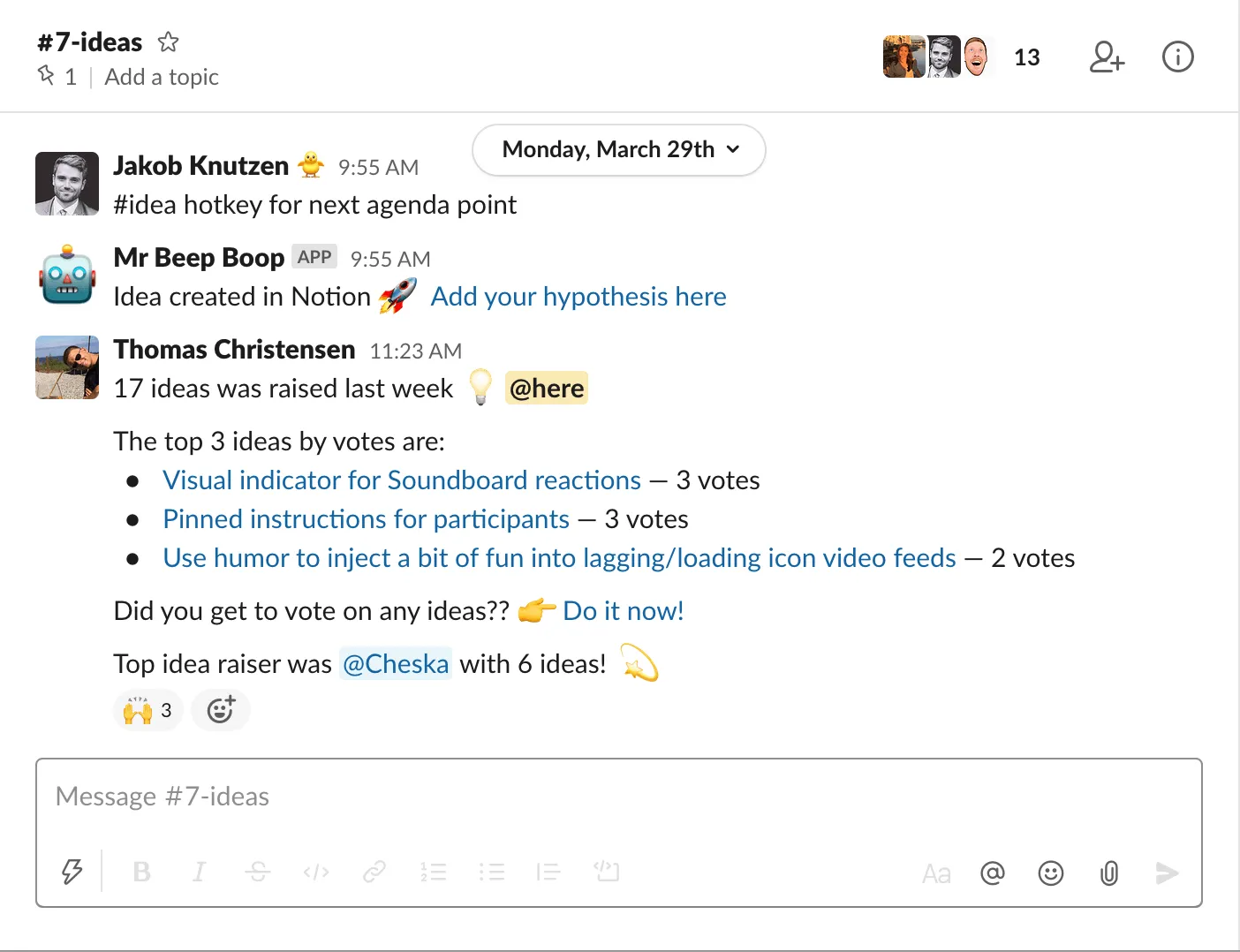
We’re now 13 people on the team and 69 ideas were raised in March for product improvements, new features, growth initiatives, marketing initiatives, etc.
Here’s the high-level overview of how we capture and process them, how it has increased idea contribution, and how you can too.
Let’s do this.
No one likes a form
It’s taken roughly 3 months to refine the framework and integrate it into our product development process. Not because it was technically hard to build, but the challenge was capturing more than just the idea (hypothesis, product area, and some way of scoring it) while making sure that folks wouldn’t stop raising them.
We already had an #ideas Slack channel where ideas were raised and commented on. When something sounded promising, the product or tech team would pick it up and get it done.

With 70 ideas coming in a month, that system just didn’t do the job. We lost track of ideas and ideas were chosen off the hip.
We started out setting up an Airtable base and shared this Airtable form where folks could describe their idea and fill out 6 fields.
Try and click the link. Seriously. You wouldn’t want to fill that out either.
Adding an idea now sucked and no one filled it out. It was brilliant in theory, but I quickly learned that the safest way to reduce how often people do something is to add a form to the equation.
We had to make this work directly from Slack.
Slack, where it already happens
Shortly after, I realized that you can fire a webhook notification for every Slack message. With a tool like Zapier, we can catch those messages and do practically anything with the data.
Add a keyword into the mix like #idea, and we can tell Zapier to filter out all other messages and send the ones that start with #idea to Airtable automagically!
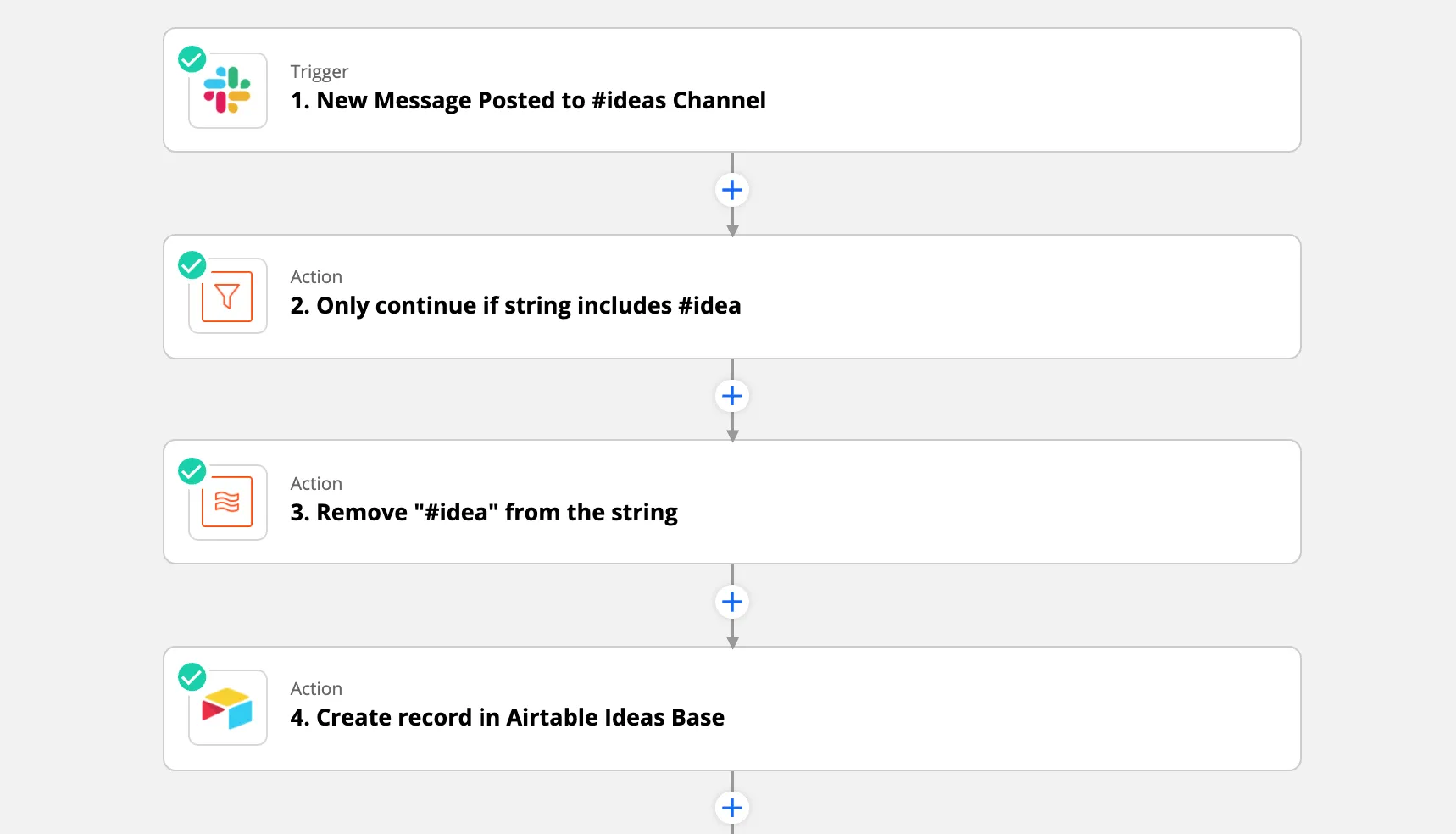
Problem solved! Goodbye form.
Next step: communicate to the team. They love it. Everyone starts adding the #idea keyword. Wunderbar.
Next step: realize that we now need to process 70 half-baked ideas, like “Butter Swagstore”.
I have no clue why Butter Swagstore is a good idea. How am I possibly gonna evaluate that?
Well, at least we were now storing the ideas somewhere and we could go through them and evaluate them with a bit more structure, but most importantly, we hadn’t reduced idea contribution — it actually increased.
Notion and Zapier magic
The next challenge was increasing the quality of the ideas just enough to remove confusion when evaluating them. If we could gather just a few lines about the hypothesis behind the idea, that would do the trick.
But how can we add both the idea and a hypothesis from Slack?
Well, shortly after all this, Notion released their API so I moved the Ideas database over to Notion.
And one of the beautiful things about Notion is that every page has a page ID which also happens to be the last part of the URL when you open a page in the browser.
For example https://www.notion.so/butterhq/Ideas-base-xxx?p=abf805df9d9e490fb755e6b43345b653
When we create a record in Notion via Zapier we get back a URL to that page. We can therefore easily add that URL to the webpage for the idea someone just created in Slack!
Like this:
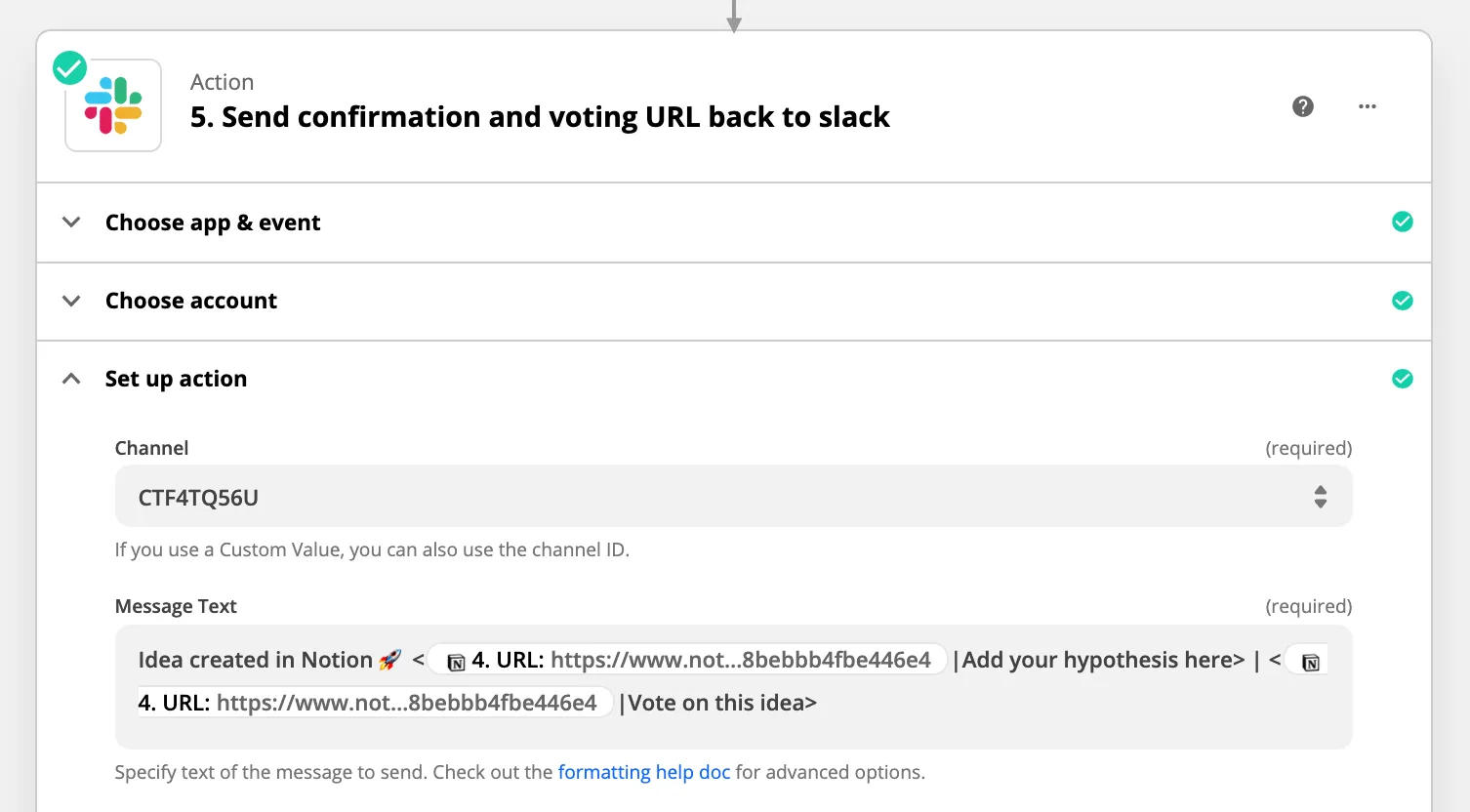
What the hell does that mean Thomas?
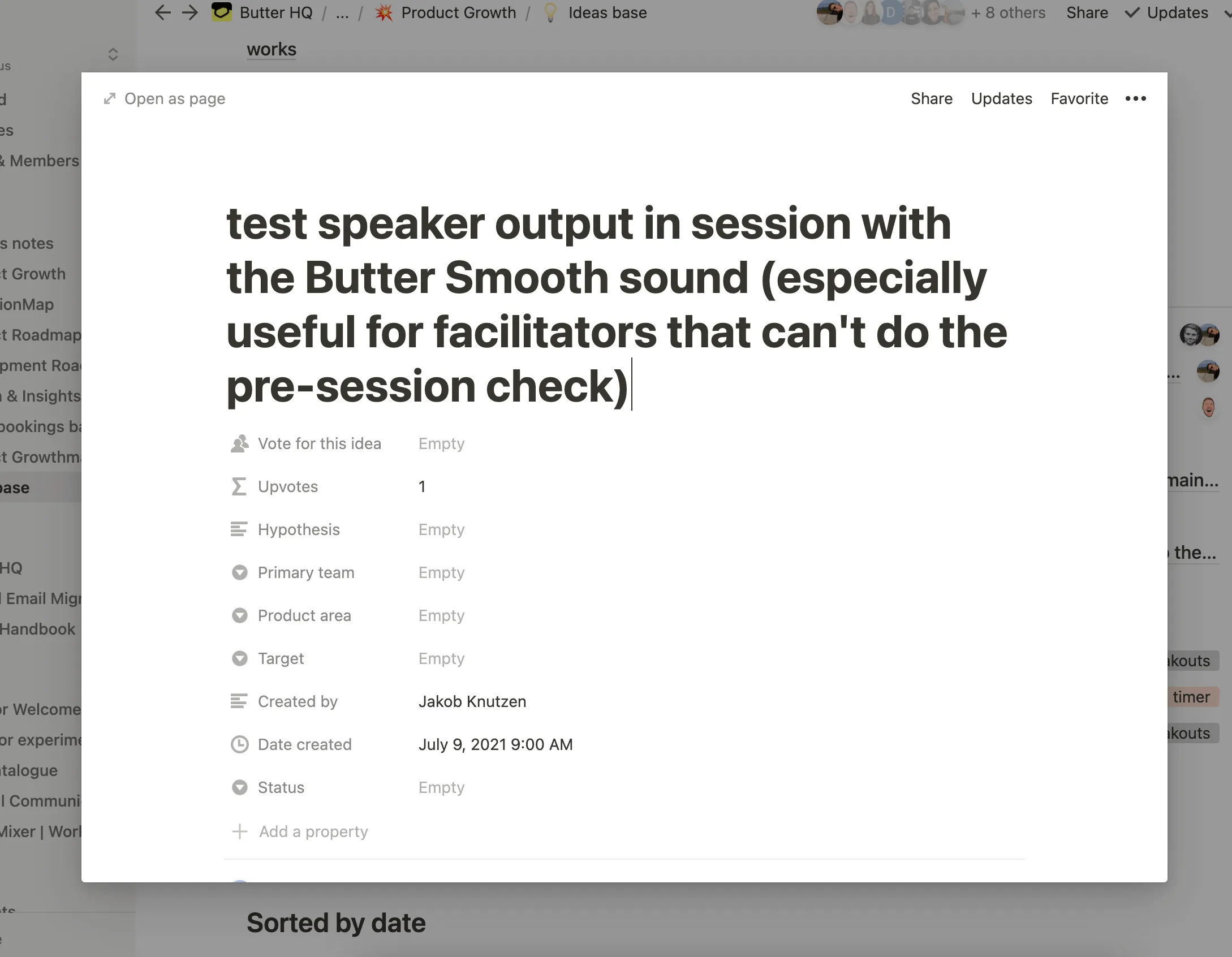
Well, it means that we can immediately send a message back to the person in Slack, with a link to their idea in Notion, and ask them to add their hypothesis.
All within a second of them adding their idea:
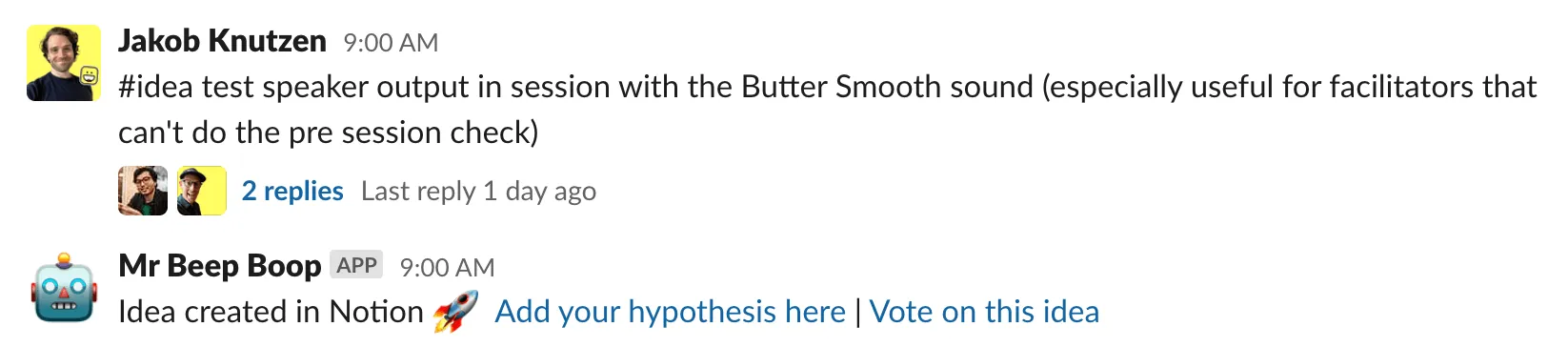
You can then click that link, add your hypothesis while it’s fresh, and the process takes about a minute. Bingo.
Scoring the ideas
Lots of quality ideas were now flooding into Notion, but we still needed a way to filter the ideas based on a product area and some metric that could help us prioritize the ideas.
We started out using the ICE framework popularized by Sean Ellis in Hacking Growth, scoring each idea from 1-10 on Impact, Confidence, and Ease, and averaging the score.
We learned that the product team was best positioned to score Impact and the engineering team to score the Ease of implementation, and wrapping your head around Confidence of success never seemed to stick.
This was not going to work on a weekly consistent basis, so we ditched the ICE framework.
No voting on the ideas
Ideally, if everyone could just vote on ideas then surely a public vote would include considerations about what’s impactful and how hard it is to implement?
And indeed it did.
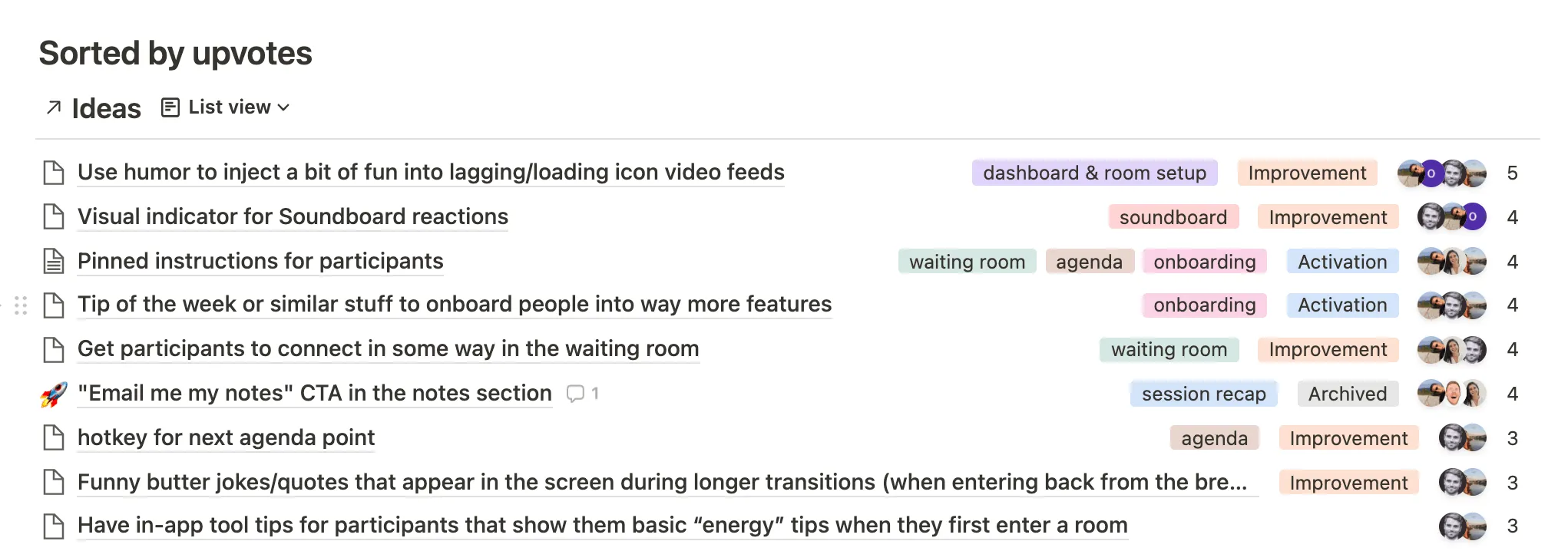
Last week we transitioned to letting people vote on ideas instead of scoring them. Notion makes this very easy with the People column and we can now sort the ideas based on upvotes, all-time, or within a given time period.
Turning ideas into products
Integrating the ideas into our two-week sprints is very much a topic in itself and has definitely been the hardest nut to crack, but we now expect folks to add at least a hypothesis to their ideas, and on Mondays, we push a reminder for people to scroll through the ideas and vote on the ones they like.
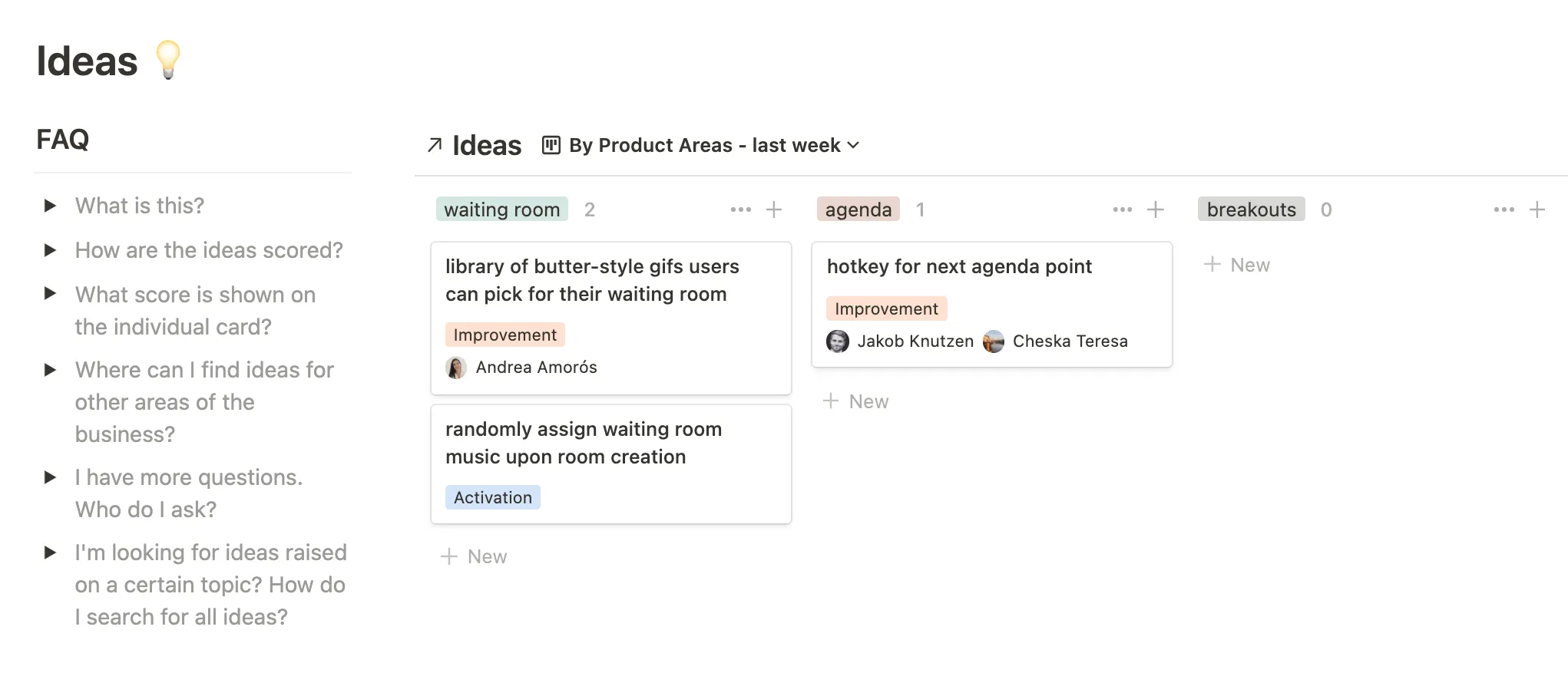
We’re still iterating on this part of the process, but in our product roadmap, we now have a section with all the ideas, sorted by upvotes, and grouped by the product area that fits nicely into our two-week sprint cadence.
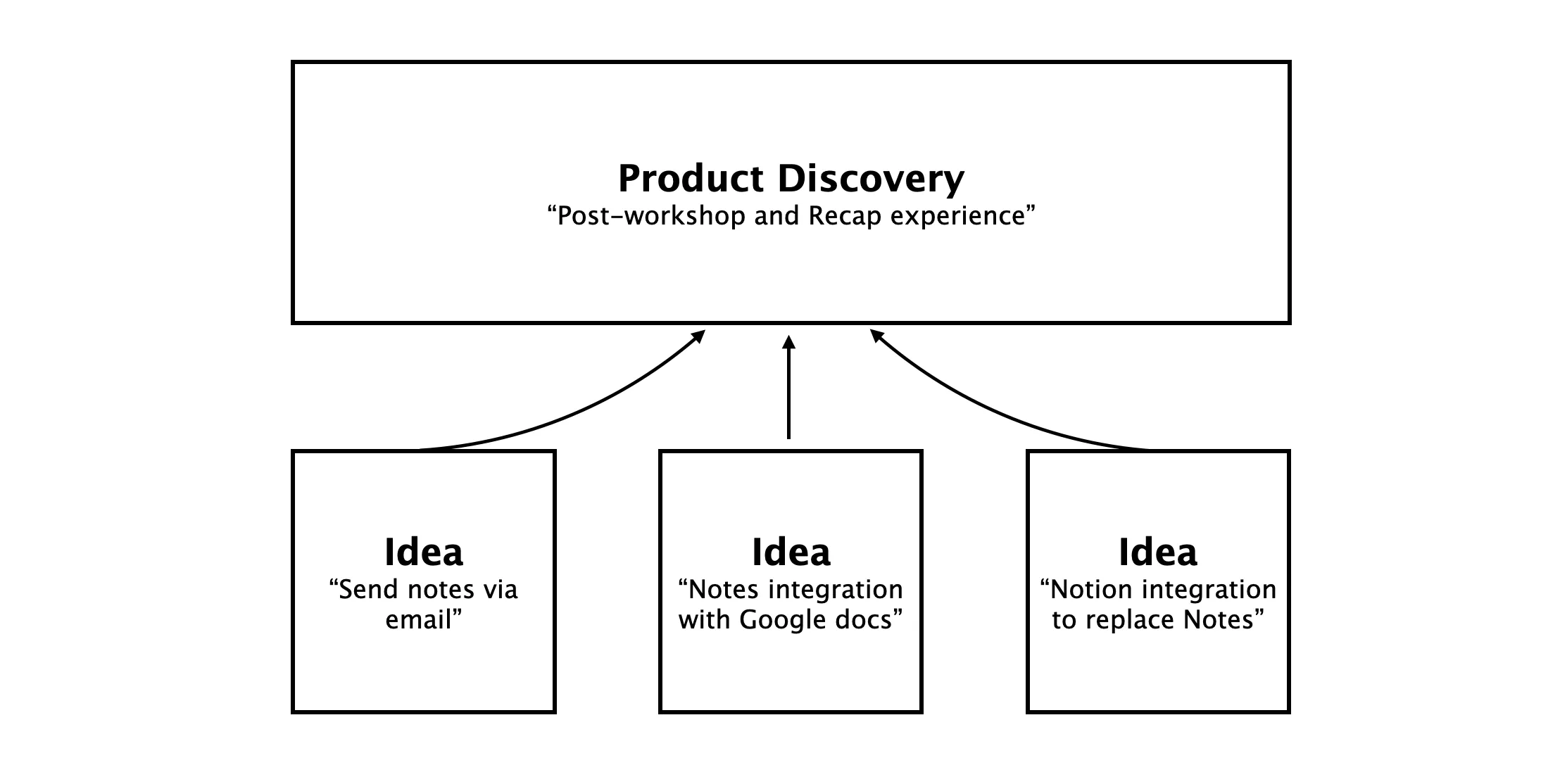
There’s probably an entire Note to be written about that. Which I should probably do when we’re more on top of it, but our basic approach to this is that ideas are really just a source of inspiration for larger Product Discovery initiatives.
Feel free to drop me an email if you want to implement this. Happy to share templates and hear how you go about it.