The Request Access Feature
A guide to building request access mechanics, learnings from building it at VEED, and examples from Figma, Miro, Linear, and Loom.


I’ve spent the last year trying to grow collaboration and team usage at VEED and in the process, we’ve built a feature that is now driving 30% of the paid invites to VEED workspaces, and is helping tens of thousands of users find their colleagues every month.
It’s the ability for people outside a workspace to request access to join, and for people inside the workspace to approve or deny.
The fundamental idea is nothing new though — most great B2B SaaS products like Miro, Figma, Google, and Linear make use of this feature to grow teams, revenue, and collaboration.
But since no one has documented how to build this well, we spent way too long figuring it out and made a lot of mistakes in the process.
So, my dear product friends, I decided to write a guide to building the request access mechanics that will make products spread inside companies faster, share our learnings from building it at VEED, and map out examples from Figma, Miro, Linear, Loom, and Google.
Let’s do this.
The collaboration opportunity
Now, most b2b saas companies that get off the ground will eventually turn to the opportunity to move up the market and capture larger businesses and teams.
It’s very attractive because you see much higher contract value and better net revenue retention from accounts with multiple users in them, and it’s quite a classic way to find the next wave of growth.
So we want to make sure that our product can spread inside of these teams as easily as possible.
However, I’ve found that there are two problems that most self-serve products will find is slowing down how the product spreads:
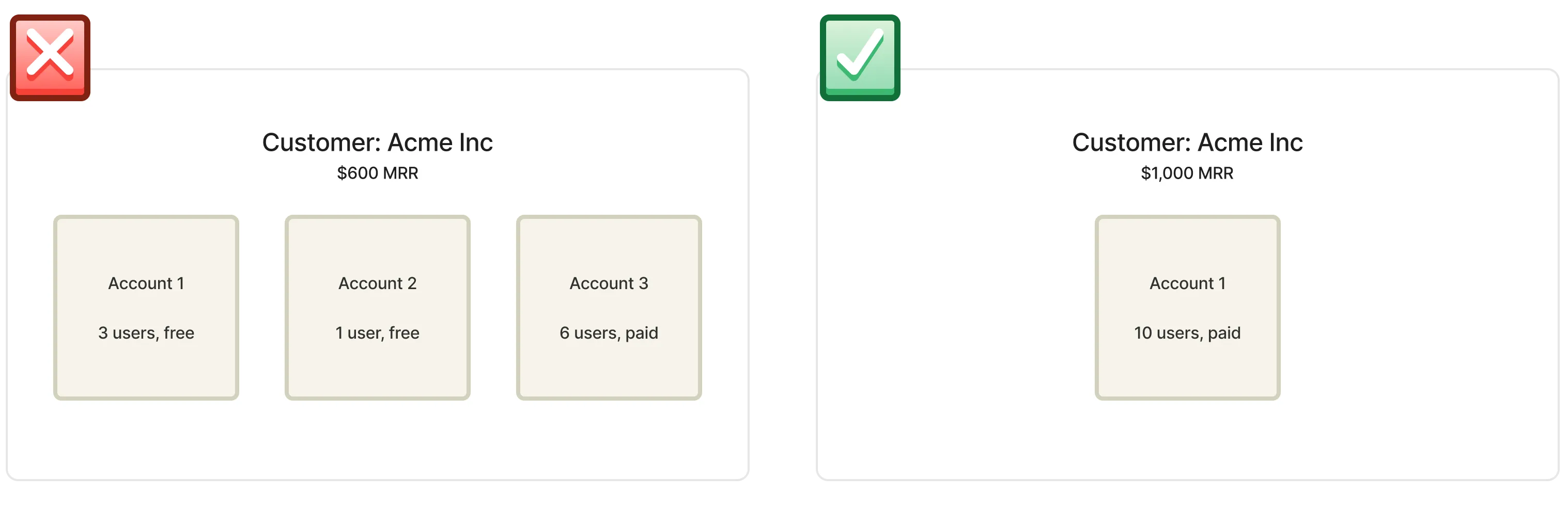
(1) Users from the same company will create multiple accounts, instead of sharing the same one.
If anyone can create an account on your product, one person likely starts using it, and when a colleague notices, they go sign up for themselves rather than ask for an invite.
Although it’s probably a natural result of self-serve, it’s also a result of poor design — the product should capture this and make sure users land in the right account, just like any salesperson would make sure a new lead is added to an existing account. Classic PLG stuff.
You can quantify the amount of lost revenue from this problem, by grouping all your customers by their email domain to see how many of them have paid accounts, and how many of them have free users on the same domain outside of that account.
In this example, Acme is losing out on $400 MRR. Depending on the type of product, it’s also giving a much worse experience to the users in the free workspaces compared to what they’d be able to do in the paid account where their colleagues could have set things up.
(2) Relying on inside members to invite their colleagues will limit how it spreads
Most products require inside workspace members to invite people before they can join.
But many of them also deliver value via links to people that are not in a workspace relying on the inside members to invite will limit the organic way those products can spread inside a company.
Let’s get practical.
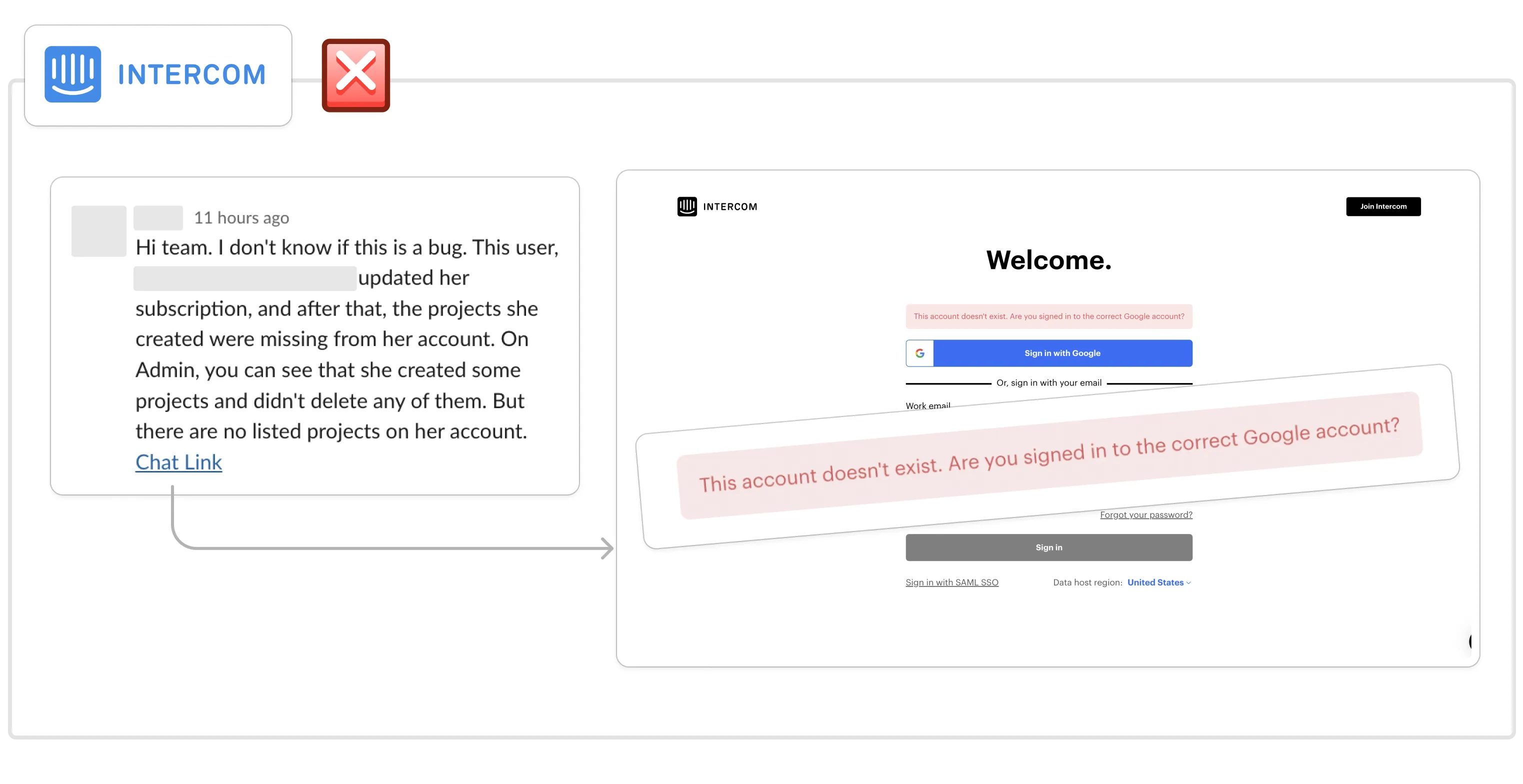
For example, a colleague shared a link to an Intercom chat with me the other day. A customer had a problem and I wanted to check the conversation so I clicked the link.
After signing in with my email, I was presented with this dead-end:
Instead, since the link is unique to our workspace, and I’m authenticated with my veed.io email, Intercom could securely let me request an invite and notify the account owner, like this:
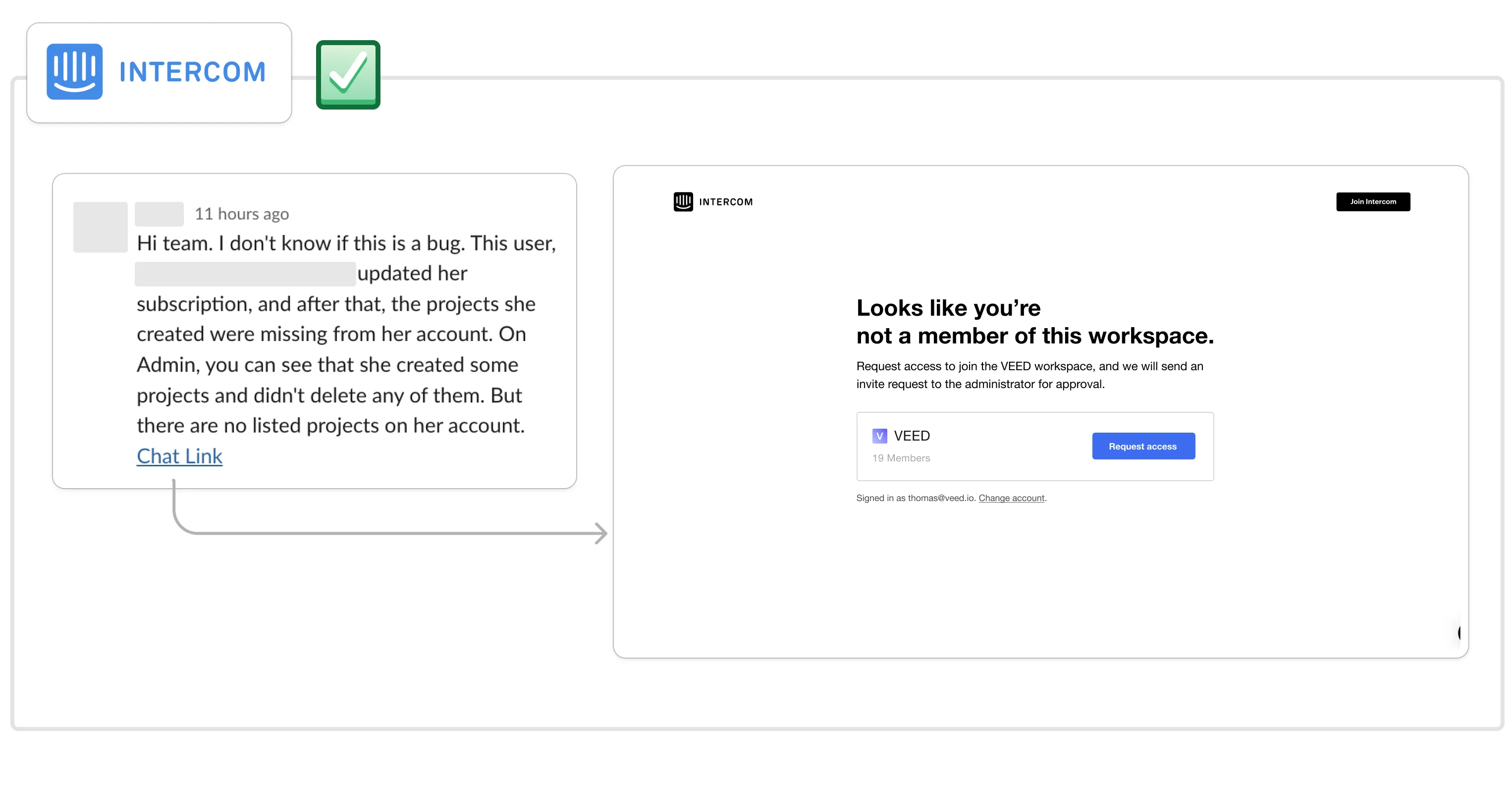
This would make it much easier for Intercom to gain adoption at our company and, since we pay per seat, increase the revenue they generate from us.
You can quantify the size of this problem by looking at:
- How many users visit dead-end links like “This project is private.”
- How many users visit links to collaborate.
- Then estimate how many of them would request to edit/join the workspace if they could.
That’s a little sneak peek at the solution. Let’s dig into it properly.
The fundamental idea
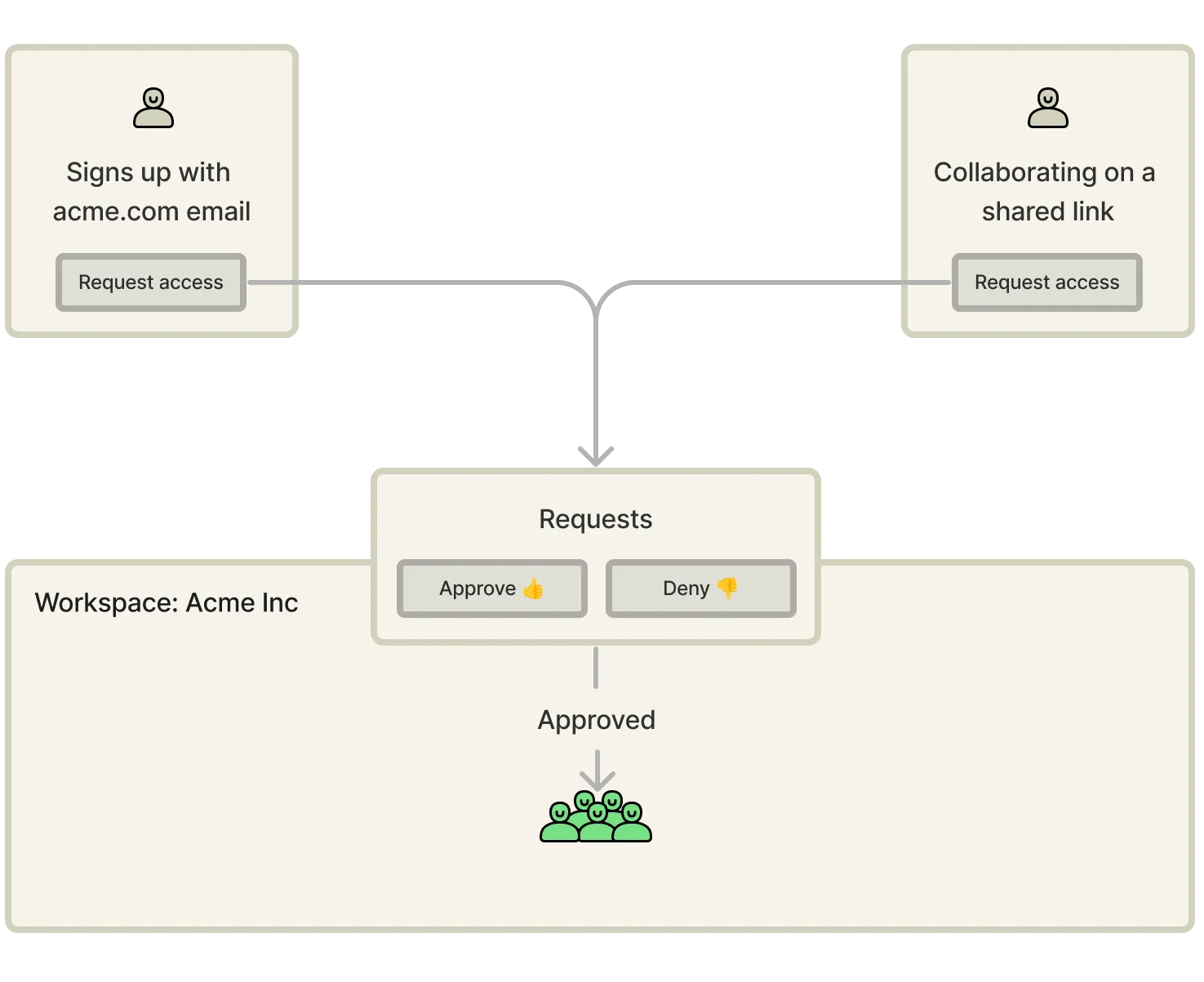
The fundamental idea for the solution is to build request to join functionality that enables users outside a workspace to request access at relevant points of the product experience and approve functionality that enables users inside the workspace to approve or deny those requests.
Once we’ve got the request functionality, we can surface the request access CTAs to the relevant users.
I’ve identified two core areas to do this:
- During signup when the new user’s email domain matches an existing workspace domain.
- While visiting a link that belongs to an account or collaborating on a shared link. For example, a Google Doc, a Figma file, an Intercom chat link, or a VEED video.
Let’s cover each of them.
Request access during signup
I’ve found the most impactful place to surface the request access CTA is during signup.
90% of VEEDs requests to join come from here and it tackles the main problem that some users will try to create their own account even though their colleagues already have one.
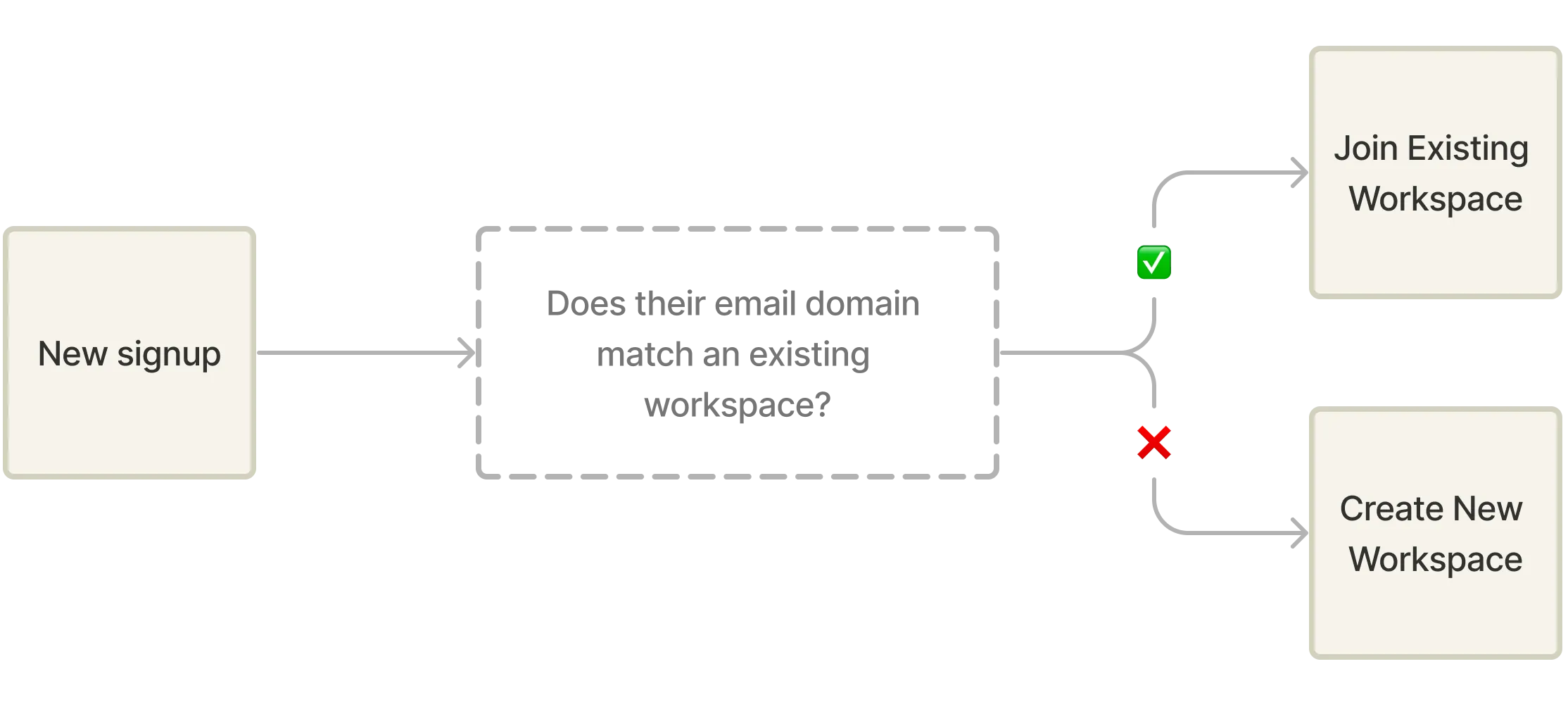
Here, you simply wait until the user has authenticated with their email (for example, johndoe@stripe.com), so you can securely conclude that the user belongs to the company that owns that domain (stripe.com), and then check if their email domain matches that of an existing workspace (or the domain of the workspace owner).
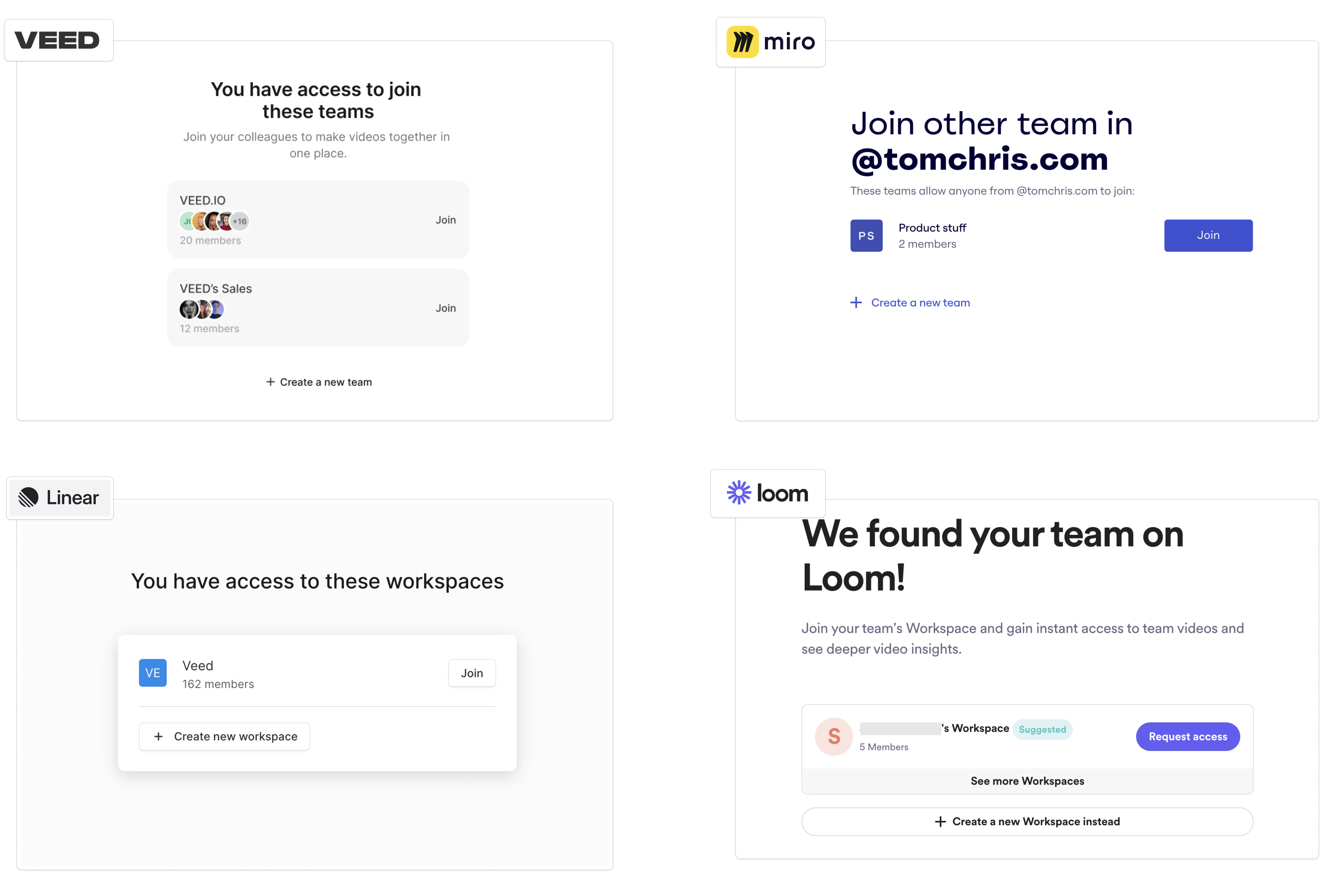
If it does, you can list the workspaces under that domain and allow the user to request access to them.
Here are some UI examples of the Join suggestions from around SaaS land:
A couple of hard-earned learnings on this:
-
There are a lot of public domains that you don’t want to include in this. Like gmail.com, hey.com, etc., so make sure to maintain a blacklist of domains so you don’t suggest these users to join each other’s workspaces. We’ve added a filter so that if a new signup matches a domain that has more than 5 workspaces, we automatically blacklist it. Let me know if you come up with something smarter! Or build a saas for this.
-
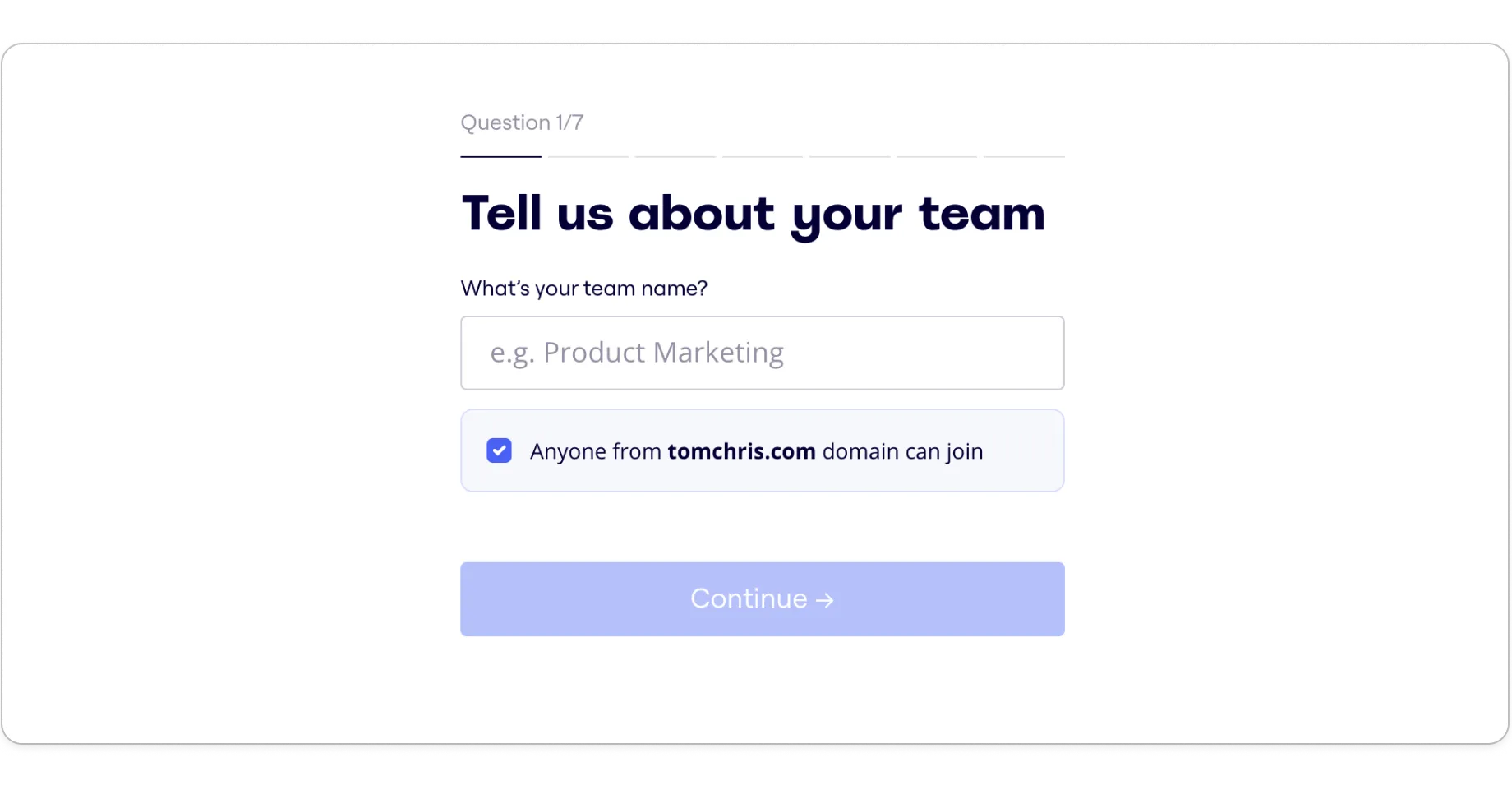
Make sure that workspaces have a setting that allows customers to disable this for their domain, surface it during new workspace creation, and default it to ON. I like Miro’s:
-
If seats aren’t paid in your product, consider if you want to just automatically approve the requests to reduce the friction for new signups to wait for approval. Add a setting for this too and default it to ON.
-
Tracking tip: you’ll want to keep an eye on the suggestion quality and the % of people who are shown suggested workspaces but decide to create their own instead. These events will let you visualise that in a funnel report:
- Event 1:
Join Workspace Suggestion Shown - Event 2:
Join Workspace Suggestion Actioned- Property:
action: createNew | joinWorkspace
- Property:
- Event 1:
Request access from shared links
The second place that you want to place the Request Access option is on shared links that are either private or public. It’s especially powerful if external members are already collaborating on those shared links.
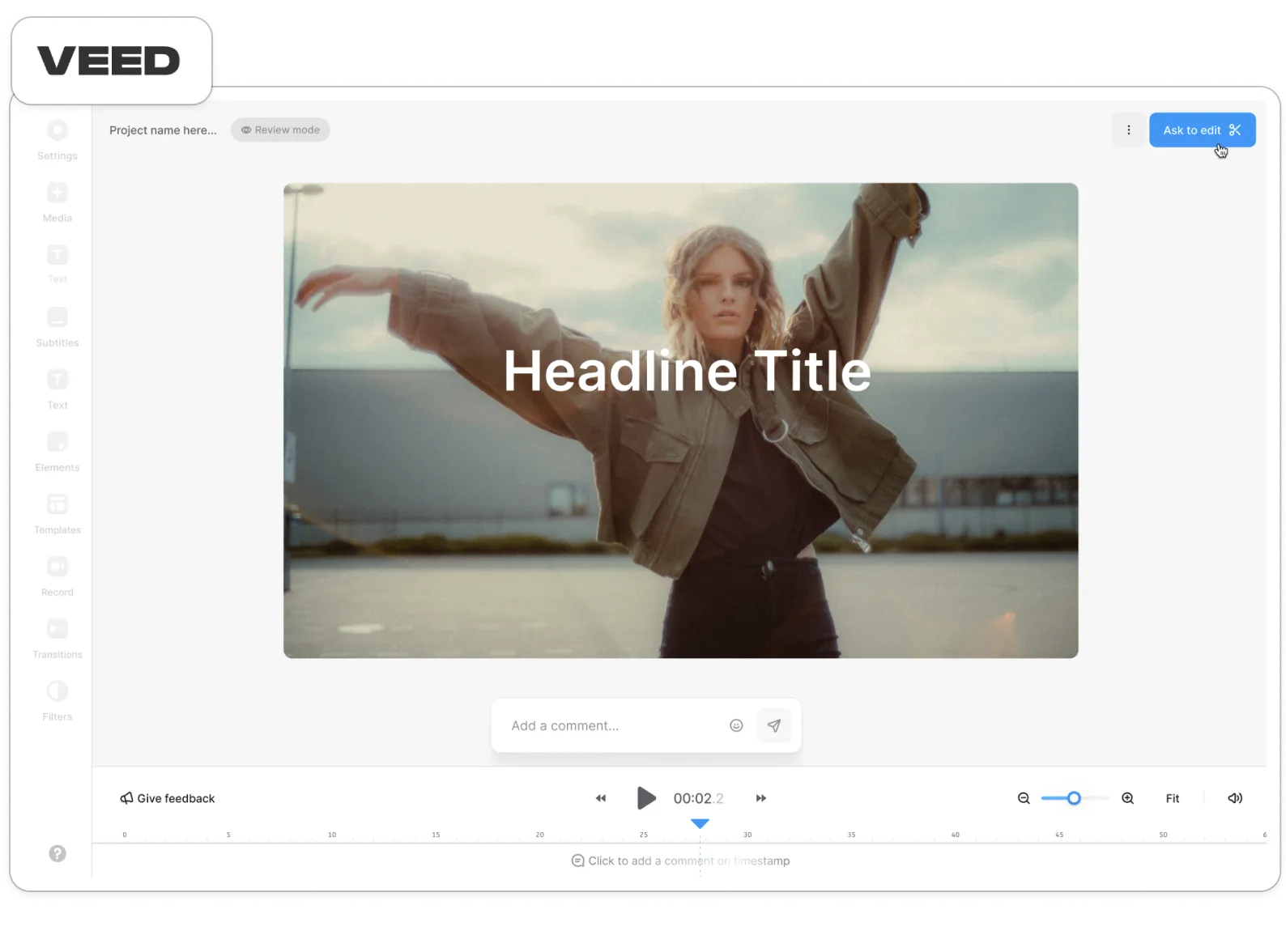
At VEED, we found that over 100k users were viewing other people’s projects every month, so we decided to build Review mode and the ability to request access from there.
Let’s look at some examples.
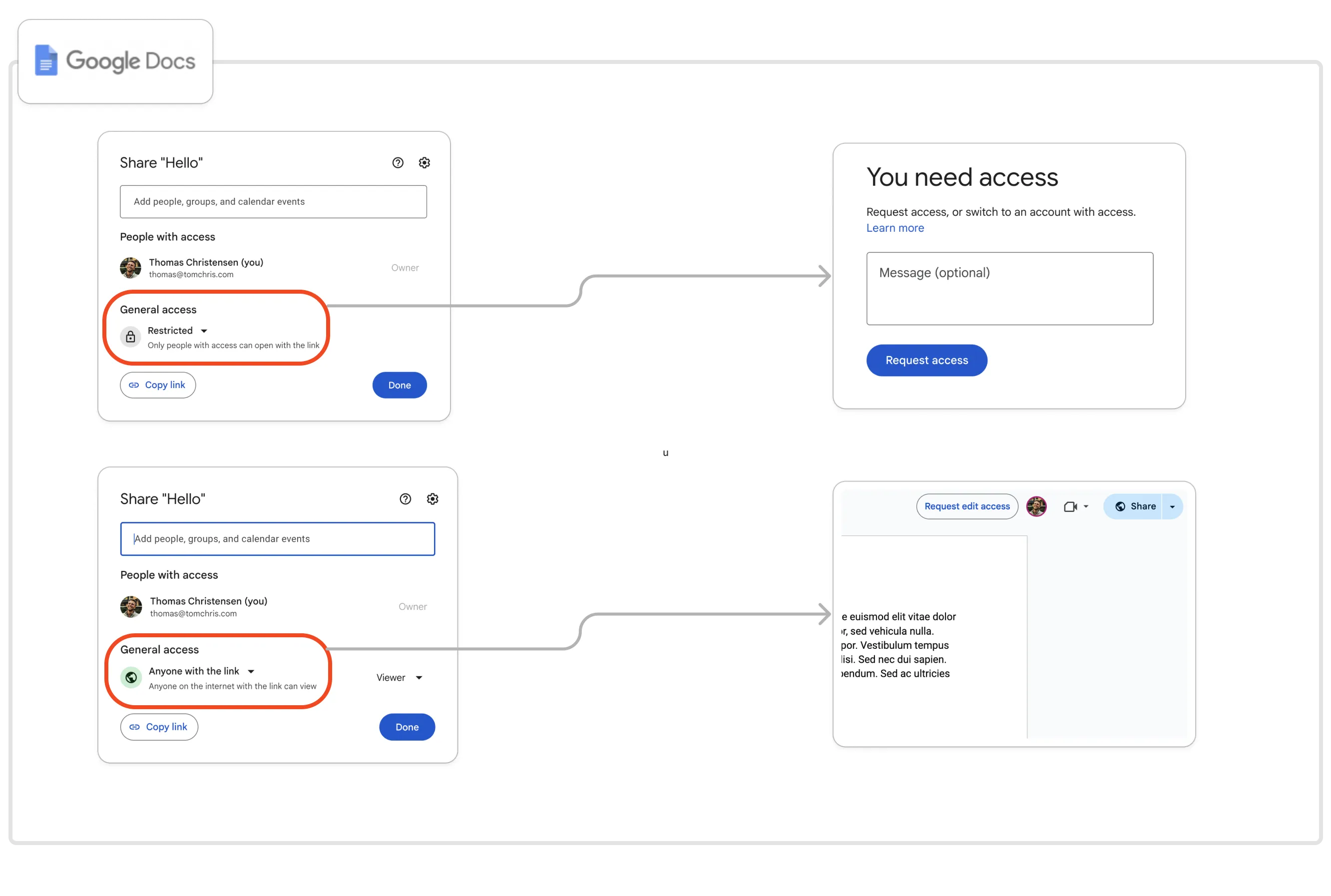
You are most likely familiar with Google Docs:
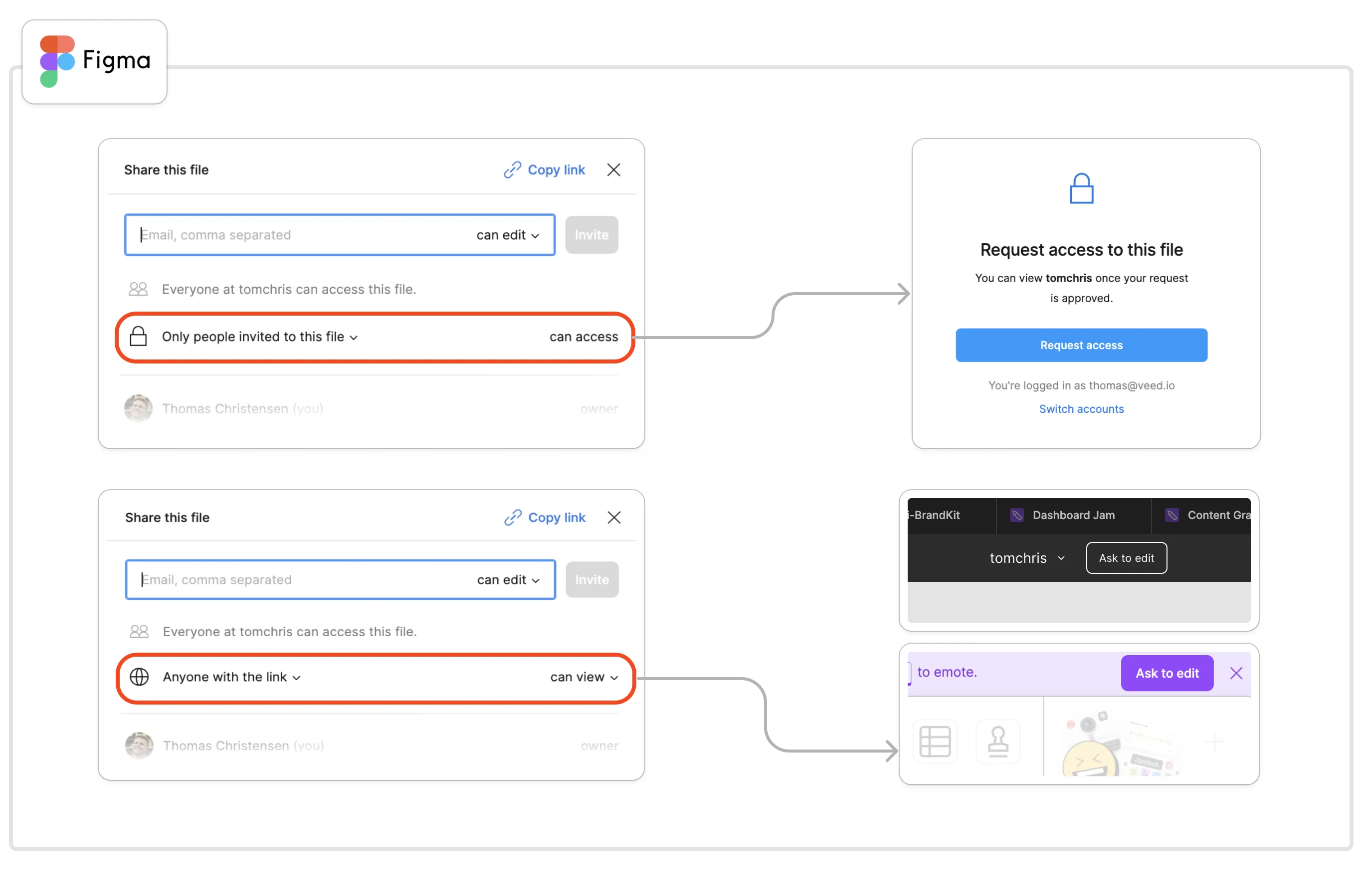
… or Figma/FigJam:
I’ll repeat myself and suggest that you quantify the opportunity here by looking at how many users end up on dead-end links like “this project is private” or visit links to collaborate, and then evaluate how many of them would request to edit/join the workspace if they could.
If I was a PM at Intercom, I’d look at how many users end up on this screen:
Handling approvals
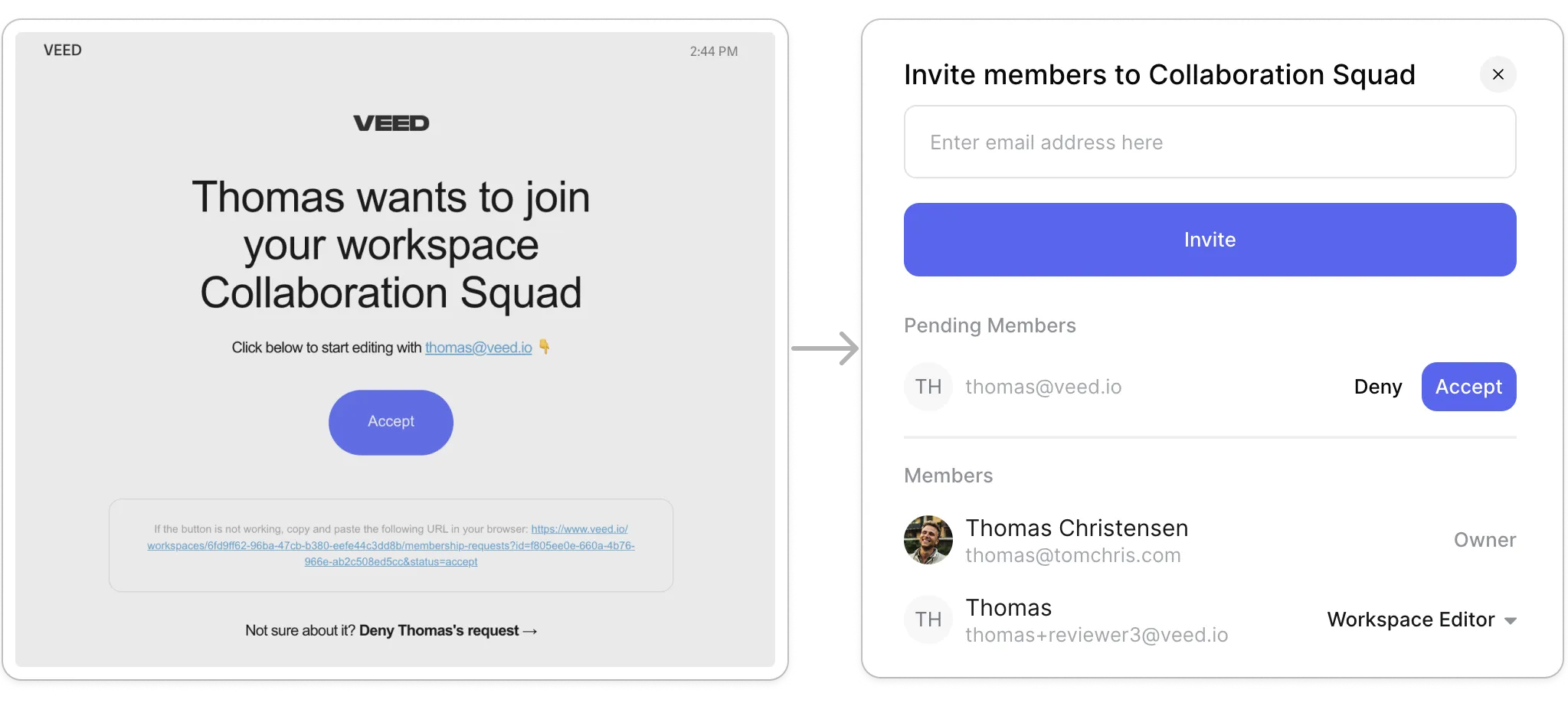
Once a request has been sent, you want to make sure that it gets accepted as fast as possible, so we send an email to the workspace owner, show a notification on the Invite buttons, and let you approve requests in our collaborator modals 👇
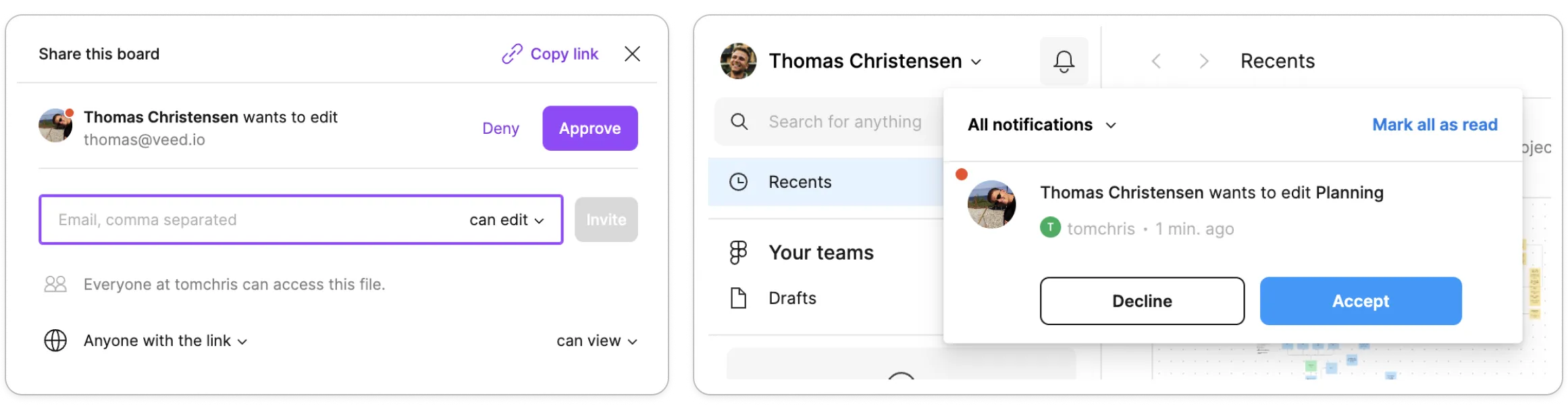
Another example is Figma, who equally shows the requests inside invite modals, in general notifications, and notifies the owner via email.
The ideal scenario is that any workspace member can approve a request so you decrease the time to approval, instead relying on the workspace owner.
But, you might be facing a constraint if seats are paid in your product. In that case, unless you handle collaborator billing like Figma, the best solution is to just let the billing manager handle approvals.
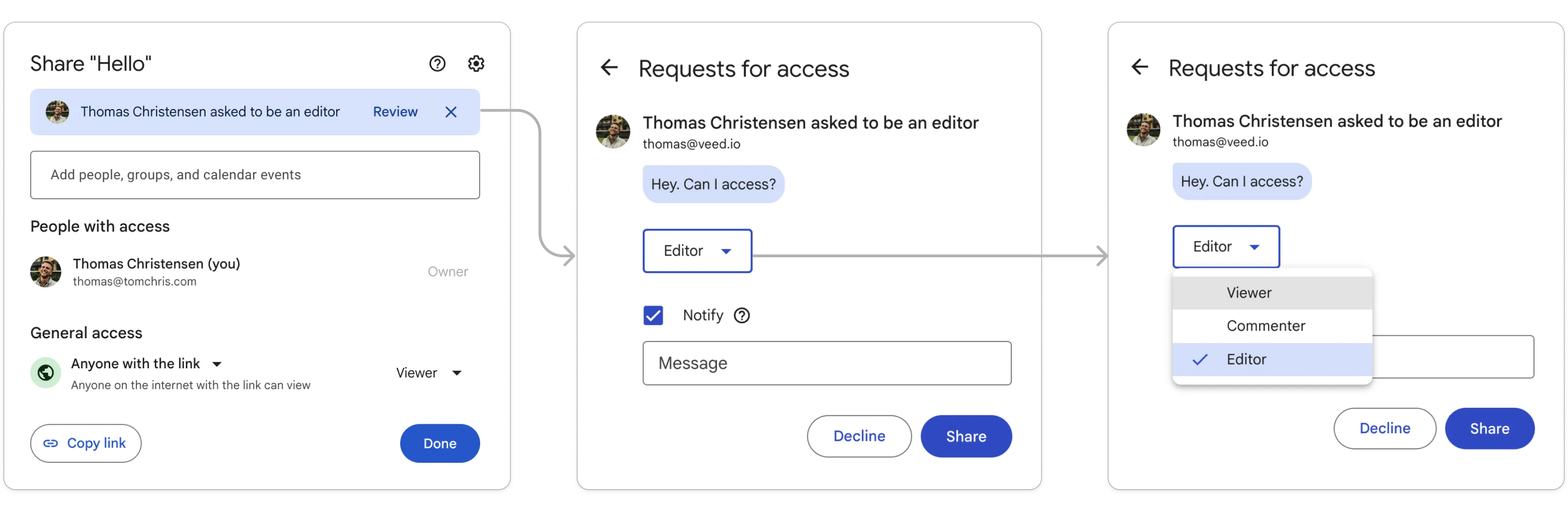
One mistake we made was that all requests would be for Editor roles, but knowing what I know now, the ideal approach here is to follow Google’s example and let the approver decide what role the requester should get, as part of the approval flow.
MVP to get off the ground
Now, you’ve read all this. You’re excited. You wanna build this. What’s the next step?
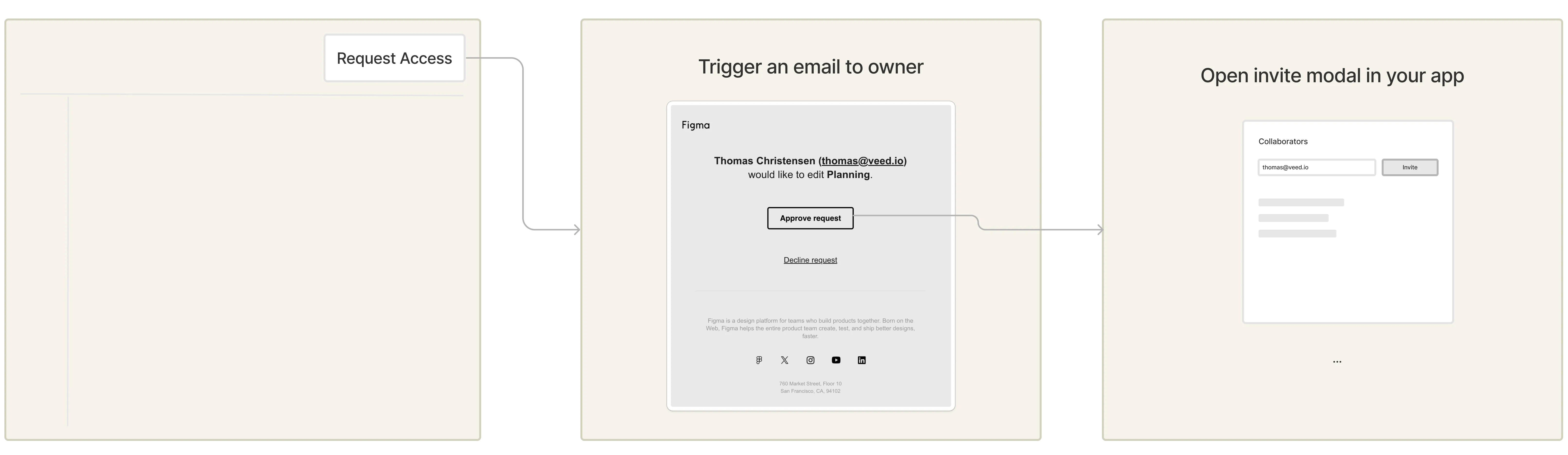
I think the best way to test demand, is by adding the Request Access buttons and simply triggering invite requests via email before building out the proper request management.
So, you could add the requests CTAs on sign up or shared links, trigger an email to the owner when clicked, and route the owner from that email to an invite modal that has the requester email pre-filled.
Then just track requests sent, and invites sent via the email approval.
Here’s a mockup:
That’s it! There are some details I’ve left out so feel free to reach out if you decide to build this :)